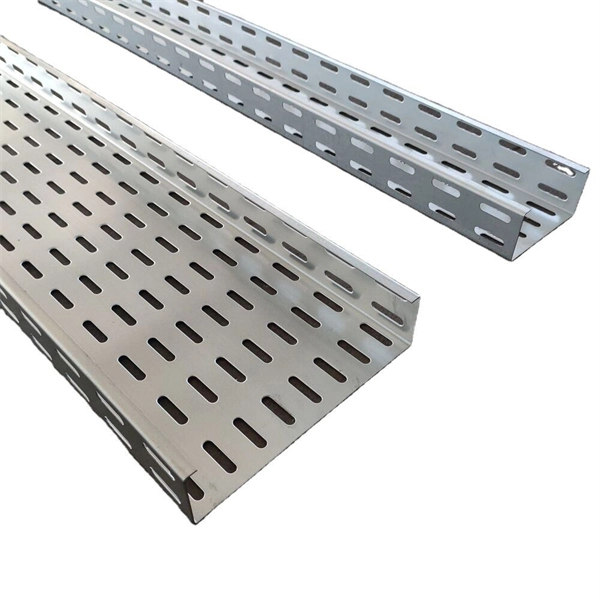
Installation of Cable Trays in Office Buildings
Proper cable tray installation in office buildings ensures safe, organized, and expandable cable management for power, data, and communication systems.Planning and DesignBefore installation, conduct a thorough site assessment. Measure ceiling heights, available space, and identify obstacles such as ducts, pipes, and support beams. Determine the cable types, quantity, and weight, including future expansion needs, to select the appropriate tray size and load capacity . Leave 50% additional space in trays to accommodate future technology upgrades . Review approved shop drawings to confirm tray layout, lengths, and locations .Selecting the Right Cable TrayChoose a tray type based on load, ventilation, and office space constraints:Ladder-type trays: Ideal for heavy-duty applications, provide good ventilation, and allow easy cable entry .Wire mesh or perforated trays: Lightweight, suitable for shallow ceilings, and allow easy access for data cables .Solid-bottom trays: Protect cables from dust and electromagnetic interference, suitable for sensitive installations . Consider material and finish: steel trays offer strength and fire safety, while aluminum provides corrosion resistance .Installation StepsPlan the Route: Mark the tray path, ensuring clearance from other systems and proper separation of power and data cables .Mounting Supports: Use brackets or clamps to secure trays to walls, ceilings, or floors. Support spacing typically ranges from 1.5 to 3 meters, depending on tray type and load .Tray Assembly: Connect tray sections according to manufacturer guidelines, maintaining proper alignment and slope for drainage if required. Ensure minimum bend radius for cables at tray exits .Cable Laying: Place cables carefully, avoiding sharp bends. Use rounded-edge trays to protect delicate data cables . Maintain separation between power and communication lines to reduce interference.Inspection and Testing: Verify that all trays are level, securely mounted, and free from damage. Check that cable loads do not exceed tray capacity .Best PracticesUse low-profile trays in offices with crowded ceilings to maximize space .Maintain proper spacing and ventilation to prevent overheating .Document tray routes and cable types for future maintenance and upgrades .Store trays horizontally on flat surfaces before installation to prevent warping or damage . By following these steps and considerations, office buildings can achieve a safe, organized, and scalable cable management system that supports both current and future electrical and communication needs.